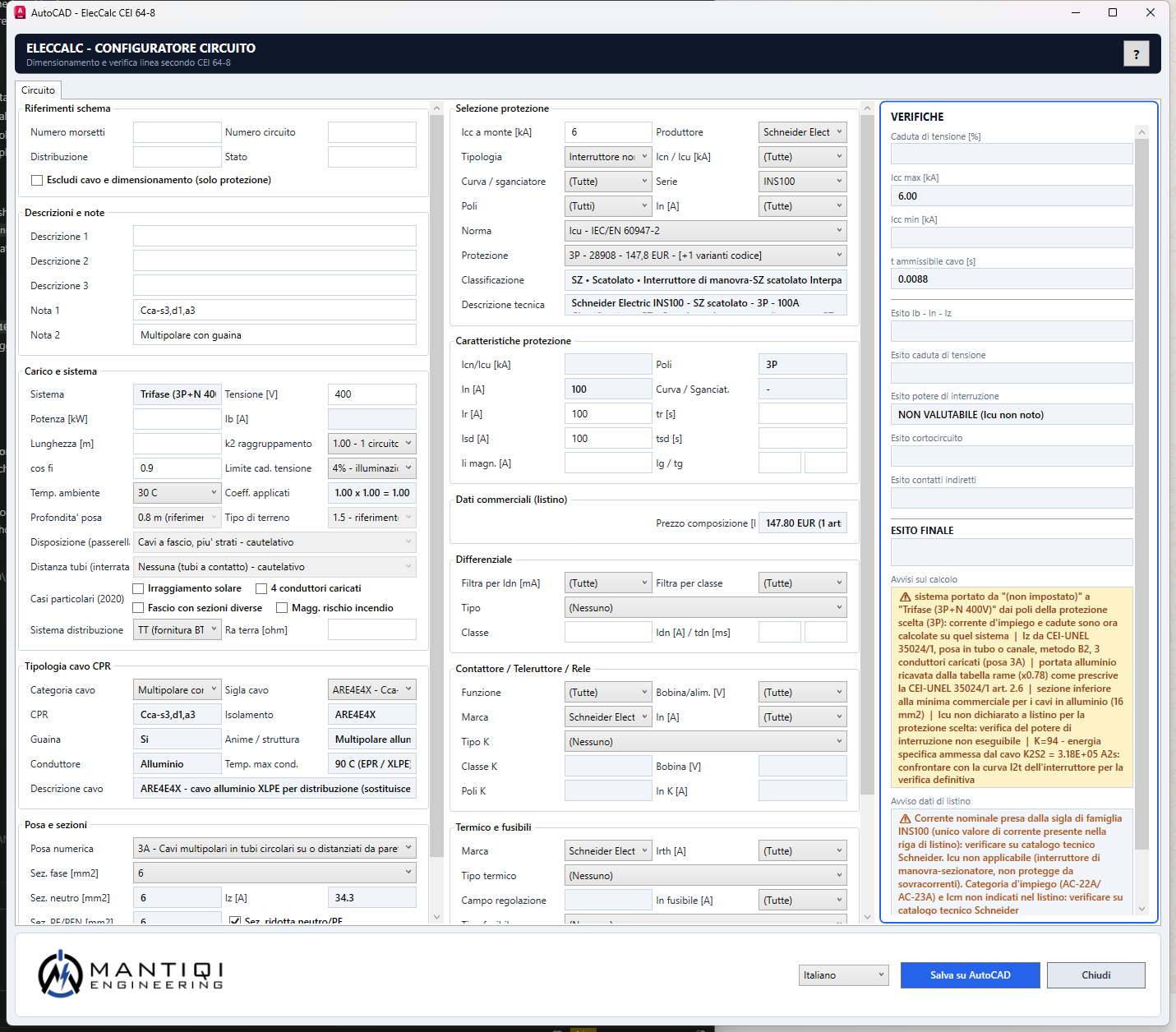
Cable sizing, protective device selection and CEI 64-8 checks directly in the AutoCAD drawing. Select the block, size it, save: the drawing becomes the project database.
AutoCAD 2019-2027AutoCAD LT 2024+ZWCAD 202664-bit WindowsItalian and French
How many hours does each project cost you, between the drawing and the calculations? ElecCalc brings the circuit data, the sizing and the verification results into a single flow. The professional keeps control of the assumptions and validates the result.
And you keep your own symbol library: only the title block and the data block are adapted, once.
01
Size and verify
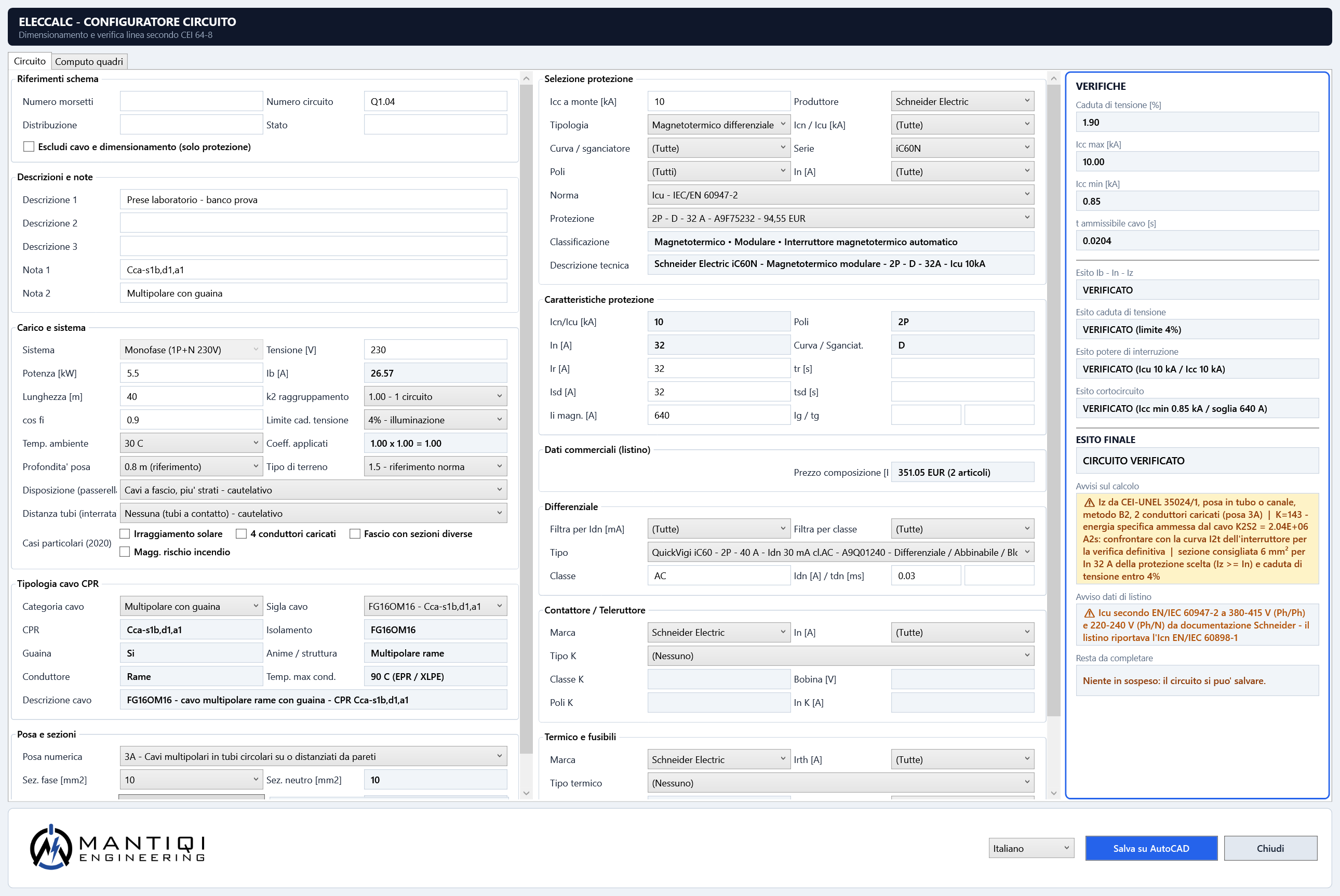
Current capacity, voltage drop and short circuit with a pass/fail result — and it proposes the cross-section for you.
02
Real catalogues
16,000+ protective devices from six manufacturers, with part numbers and list prices.
03
Take-off and report
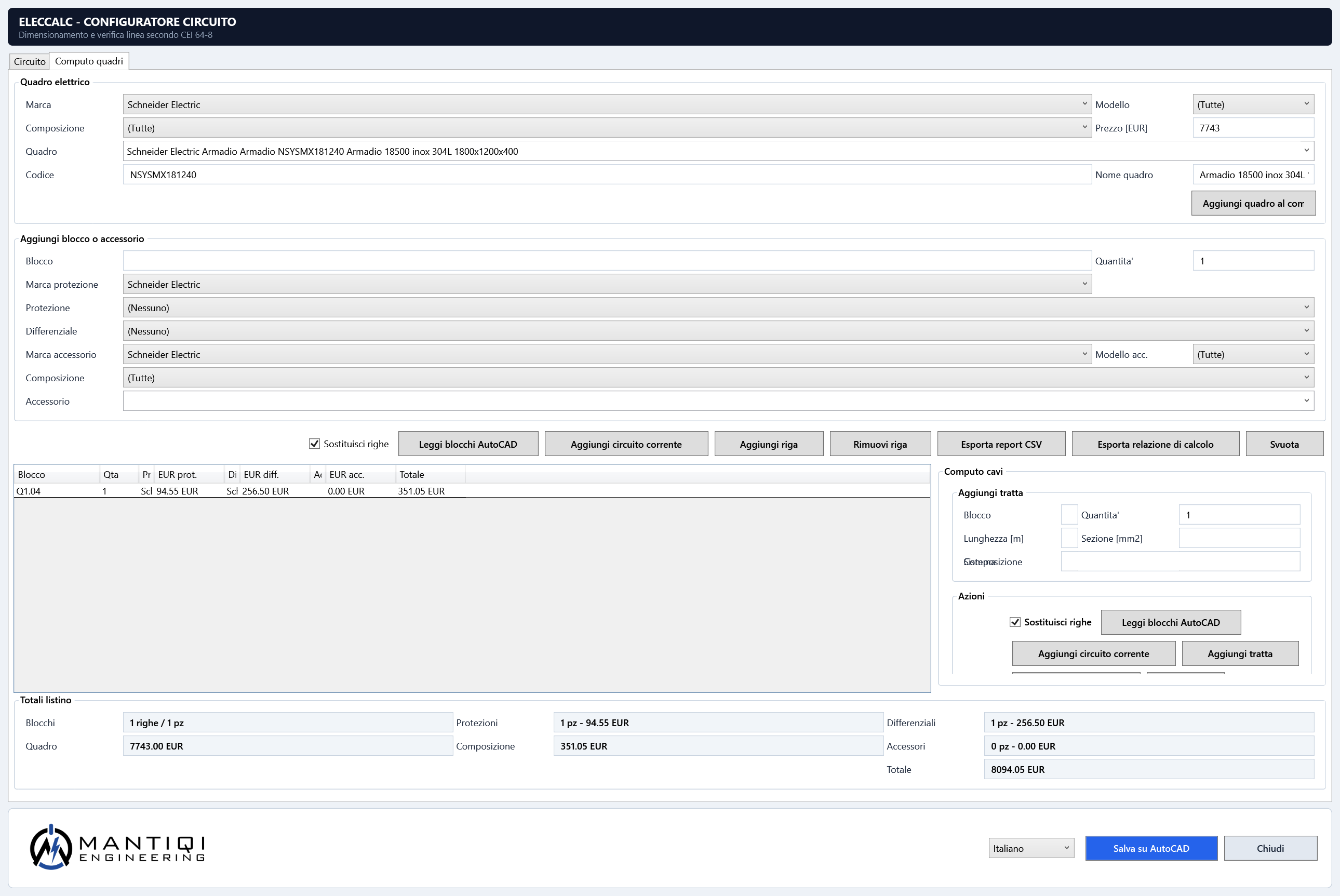
Totals per board and a calculation report in CSV: the quotation starts already written.
04
Nothing forgotten
An automatic checklist shows what is still outstanding on the circuit — RCD, data, prices — before you save it to the drawing.
05
A single data block
Creates or updates a single Calcoli block. ESC and Undo leave the drawing as it was.
06
Context-sensitive help
A dedicated button and F1 open the guide for the page you are working on.
Web app · Free forever
In the browser, a low-voltage circuit up to 100 kW costs nothing.
The same calculation engine, open to anyone for the most common case: design current, cross-section, current capacity, voltage drop, circuit-breaker, short circuit and CEI 64-8 checks with the clause. In the browser, no sign-up. It is a separate product from the plug-in: ElecCalc Base for AutoCAD is always paid, with a 14-day trial and no card, and it is what you need above 100 kW and to write the result into the drawing.
The command guides the configuration, saves the technical data and asks for the insertion point only once the circuit is ready.
01
Start
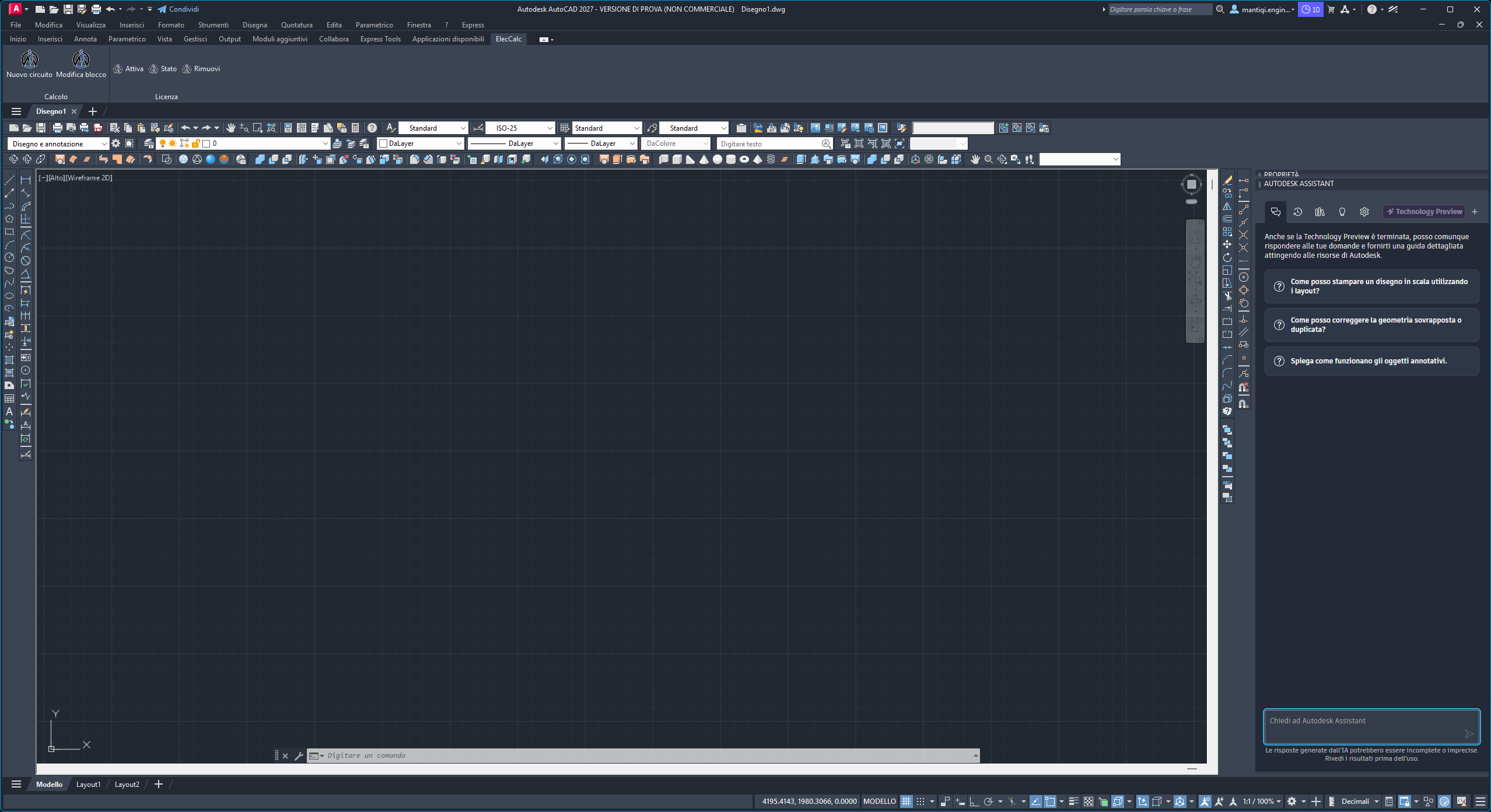
The ElecCalc tab or ELECCALC on the selected block; ELECCALC_NUOVO starts from an empty form.
02
Configure
Fill in the circuit data and check the warnings, the protective device and the results in the same panel.
03
Insert
Pick the base point: ElecCalc creates a single Calcoli block, already filled in.
04
Update
Select the existing block and edit only that one. ESC and Undo leave no trace.
04 — Compatibility
AutoCAD, AutoCAD LT and ZWCAD on 64-bit Windows.
The package contains the builds dedicated to each environment: the CAD application loads the right one by itself.
Declared compatibility
Environments supported by version 1.22.0
Windows 10 / Windows 11 64-bitSupported
The desktop environment expected by AutoCAD and the .NET Framework 4.8 runtime.
AutoCAD 2019 / 2020Supported
Loading is declared (ObjectARX R23, .NET Framework 4.8): recognised by AutoCAD with no manual steps.
AutoCAD 2021 / 2022 / 2023 / 2024Supported
.NET Framework 4.8 ecosystem: a single library in the package, recognised automatically.
AutoCAD 2025 / 2026 / 2027Supported
Dedicated .NET 8/10 builds are included in the same package: AutoCAD loads the right one by itself.
AutoCAD LT 2024+Supported
A companion application is included in the package and linked to LT through an AutoLISP script: the same workflow.
ZWCAD 2026Supported
A dedicated library is included in the package, with automatic registration.
Civil 3D / AutoCAD MEPOn request
Can be verified where they are based on a compatible AutoCAD release and a 64-bit Windows environment.
AutoCAD Web / MacNot planned
These environments lack the APIs the plug-in requires.
05 — Getting started
Six steps, with nothing scattered around.
ElecCalc comes as a single ZIP with an installer, a plug-in build for each CAD version, supporting catalogues and an online licence; the customer area handles updates and support.
Free circuit sizing up to 100 kW14-day trial, no cardOnline licenceGuided installationTicket support
01
Activate a plan or trial
Choose the plan, start the trial and sign in to the ElecCalc customer portal with your practice details.
02
Download the package
From the portal you download the release ZIP: installer, plug-in, catalogues and release notes.
03
Install
Extract the whole ZIP, close AutoCAD and run INSTALLA_ELECCALC.cmd: the ElecCalc tab appears on restart.
04
Link the licence
On the first command the software asks for the key; ELECCALC_LICENSE enters or changes it later.
05
Work on the block
ELECCALC opens the panel on the selected data block; ELECCALC_NUOVO creates one from scratch and asks for the base point.
06
Manage updates
New releases, protected downloads and technical tickets stay available from the customer area.
06 — Pricing
14 days of trial first. Then only if you need it.
Sizing a circuit up to 100 kW stays free forever. To bring it into the drawing, a subscription per seat: monthly or annual, no card during the trial.
Launch offer: −50% on the first instalment (monthly or annual) for the first 25 paying subscribers — … remaining. The discount is applied automatically at checkout.
Sizing and verifying a single low-voltage circuit up to 100 kW, in the browser, with no sign-up and no expiry date. Above 100 kW, and to write the result into the drawing with the Calcoli block, you need the professional plans.
Does ElecCalc Base replace the designer's own checks?
No. It automates data collection, calculations and consistency checks, but the assumptions, the selections and the final result must be assessed by the responsible professional.
Which CAD versions are supported?
Full AutoCAD from 2019 to 2027, AutoCAD LT from 2024 onwards with the companion application included in the package, and ZWCAD 2026. All on 64-bit Windows.
What languages does the software speak?
The ElecCalc interface is available in Italian, French and English.
What happens if I cancel during insertion?
ESC and Undo leave no partial blocks behind and show no false success message.
Does the trial require a card?
No. The trial runs for 14 days and does not require any payment card.
Where do I find downloads and support?
Once signed in, the customer portal puts the latest release and the support tickets front and centre.
From the free calculation to the drawing
Try ElecCalc Base in your AutoCAD workflow.
14 days, no card. Rather follow the product first? Opt-in product updates (page in Italian), with double confirmation.